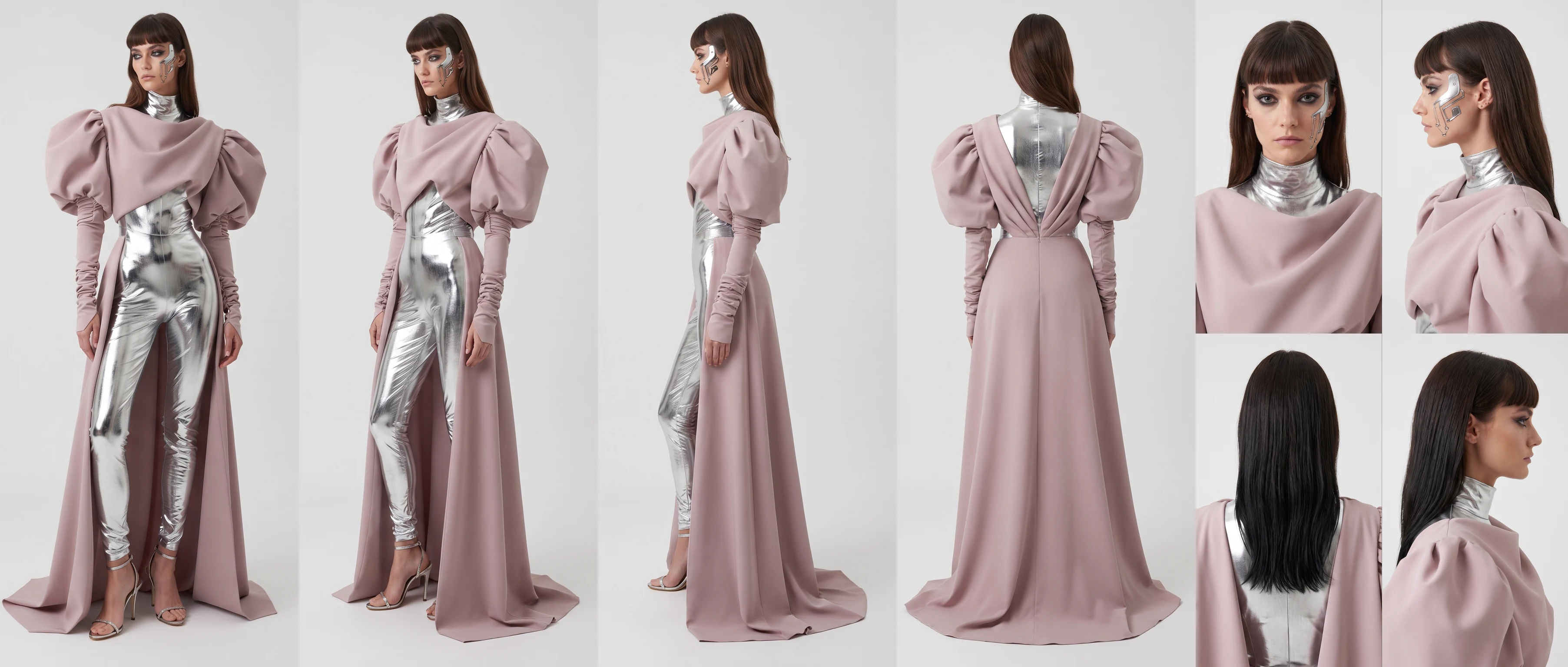
This workflow takes one picture of a character and builds a full turnaround sheet from it: front, half turn, side profile and back, plus a row of close-ups of the face. Each view keeps the outfit, colours and proportions of the reference, so the sheet is ready to hand to an animator or a 3D artist.
What you provide
Character image
Runs in ComfyUI. This workflow can't run on this page. Open it in Comfy Cloud with everything loaded, or download it for your own ComfyUI.
OutputSample 1 of 3ExamplePink and silver character sheet
Sample outputs
Inside the workflow
A read-only preview of the node graph. Open it in Comfy Cloud or download it to edit the nodes.
The code reads the API format: open the downloaded workflow in ComfyUI and choose File → Export (API).
What you need
Runs on
Comfy Cloud
Endpoint
https://stagingcloud.comfy.org/api/prompt
Key
Required, from your Comfy account
# Python 3.10+: pip install comfy-sdk==0.4.0import jsonimport osfrom comfy_sdk import Comfyapi_key = os.environ.get("COMFY_API_KEY", "").strip()ifnot api_key: raiseRuntimeError("Set COMFY_API_KEY")os.environ.setdefault("COMFY_BASE_URL", "https://stagingcloud.comfy.org")client =Comfy(api_key=api_key)withopen("workflow_api.json", encoding="utf-8") as file: workflow = client.workflows.from_json(json.load(file))job = client.run(workflow, api_key=api_key)# Use the id of the save node in your exported graph.for output in job.get_outputs("<output-node-id>"): output.to_file(output.name)
A full-body shot of one character on a plain background, facing the camera. Busy backgrounds and cropped limbs make the side and back views less consistent.
Yes. Each view is its own prompt in the graph, so you can edit, remove or add views before you run it.
Fix the seed and reuse the same reference image. Changing only the prompt then changes the details without changing who the character is.